| Computer Images of Pueblo |
www.ciop.com |
E-Mail Setup Instructions for Microsoft Outlook 2000
The following instructions cover typical usage of Outlook Express and assumes the software has been installed correctly on your system.
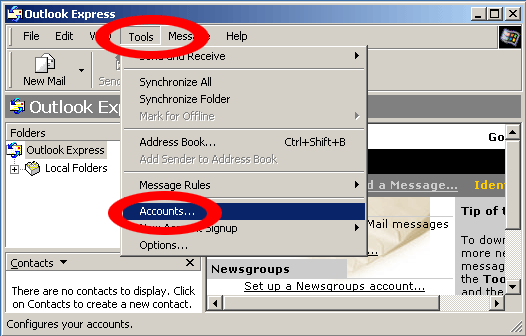
Open Outlook Express.
Click Tools on the menu bar.
Click Accounts in the Tools menu.
Click Add.
Click Mail in the Internet Accounts box.
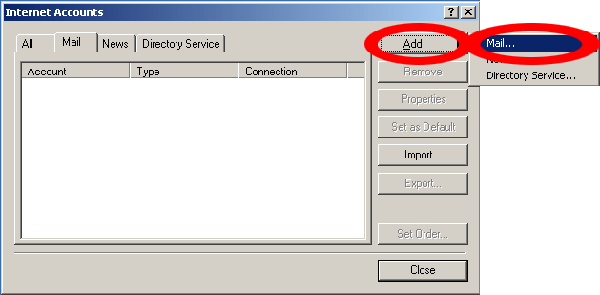
Complete the following fields
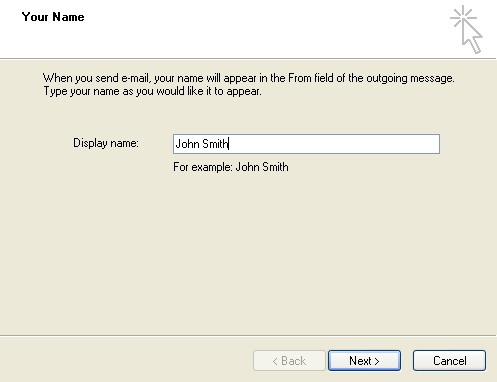
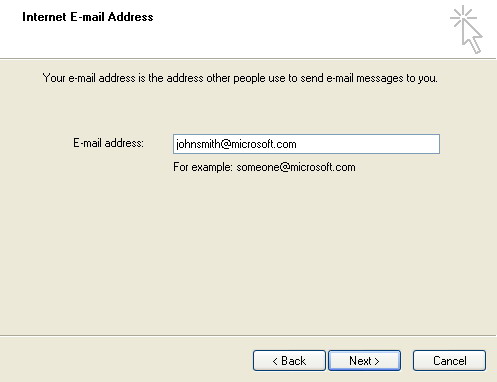
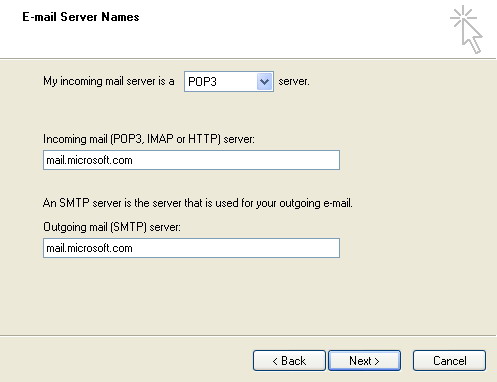
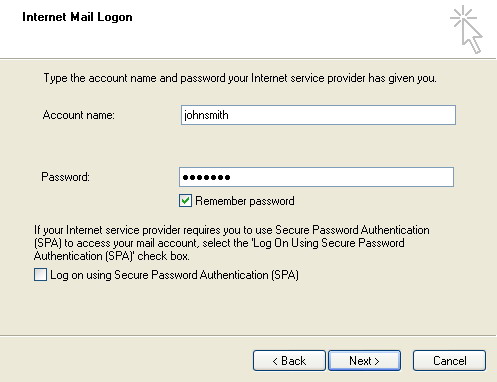
Complete the following fields in the Internet Connection Wizard window:
Click NEXT and then Click FINISHED on the Internet Accounts box when you have completed the Internet Connection Wizard.
For installations after Oct 1, 2006 there is one modification that needs to be made after the above steps have been completed.
Select Tools -> Accounts -> Select the Mail tab -> Choose the name of your account then select -> Properties -> Select the Servers tab
then at the bottom put a check mark in the My Server required authentication section at the bottom of the screen.
With Outlook Express, you can setup additional mail accounts for every mailbox from which you need to retrieve mail. Choose File --> Identities --> Add New Identity and repeat the above procedures.